How to Install Voice Delta on Mac
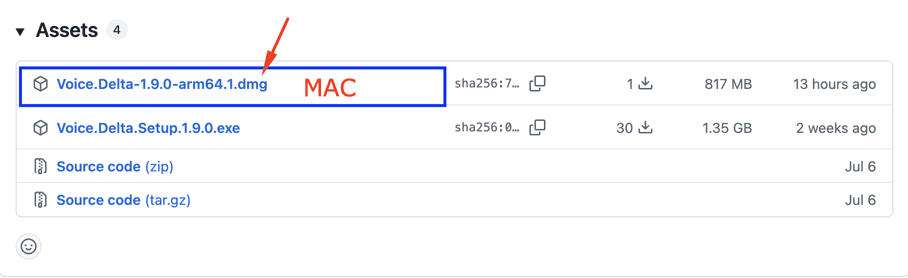
- Open the GitHub releases page, expand Assets, and download the arm64 .dmg installer.
- Open the .dmg file and drag Voice Delta into Applications.
- Launch Voice Delta from Applications and follow the first-run setup.

Watch the guide for your platform, then follow the steps below.
On the GitHub releases page, expand Assets and choose the arm64 .dmg file highlighted below for your Apple Silicon Mac.
Ensuring optimal performance
Internet is needed to download the app, required voice models, and use account services. Local voice generation works offline once the required models are installed.
Everything you need for seamless audio generation
Local voice generation keeps your scripts and audio on your own device.
Zero queue times. The moment you click generate, your processor goes to work.
No expensive graphics card needed. The ONNX engine is highly optimized for standard CPUs.
A massive library of high-fidelity, natively integrated voices ready for offline use.
Log in to sync your web plan, custom cloned voices, and API quotas automatically.
Packaged flawlessly. No need to install Python, Node, or complex dependencies.