
How to Clone a Spanish Voice | Cómo Clonar una Voz en Español
View Use Case

Most AI narration tools cap you at 500, 1,000, or 5,000 characters per run. Voice Delta removes every ceiling. No word limit. No character limit. No generation limit. Pro and Lifetime plans carry zero daily caps.
Convert entire books, full podcast scripts, or hours of dialogue in a single generation — up to 100,000 characters per run. Our neural TTS engine processes your input at 5x real-time speed on CPU, so even long-form content is production-ready in seconds.
Voice Delta also includes zero-shot voice cloning alongside its unlimited speech synthesis engine, now in six languages. Upload 5 seconds of any speaker's audio and the AI replicates that voice instantly — no training sessions, no extra fees, no waiting.
*Voice cloning supports English, French, German, Portuguese, Italian, and Spanish. Multilingual speech synthesis available in 50+ languages.
Everything you need to create natural, expressive voices at scale.
No word limit, no character limit, no generation limit. Generate up to 100,000 characters of studio-grade speech synthesis in a single run — on any plan. The most unrestricted TTS engine available.
Zero-shot voice cloning in English, French, German, Portuguese, Italian, and Spanish, with just 5 seconds of reference audio. Whether it's your own voice, a client's, or any speaker — the AI replicates it instantly, with no training and no fine-tuning required.
Convert text to audio in over 50 languages with native-level pronunciation and natural prosody. Voice cloning covers six of them — English, French, German, Portuguese, Italian, and Spanish — while our multilingual speech synthesis reaches Arabic, Hindi, Mandarin, Japanese, and 45+ more.
Our unlimited voice generation engine runs at 5x real-time speed entirely on standard CPU hardware. No expensive GPU infrastructure required — produce hours of studio audio from your browser or desktop instantly.
Fine-tune every AI narration output with advanced emotion, pacing, and pitch parameters. Calm, energetic, authoritative, warm — your synthetic speech delivers exactly the tone your content demands.
Every generation — unlimited TTS or a cloned voice — exports as a professional 24kHz WAV file. Broadcast quality for podcasts, YouTube productions, advertising, and commercial use.
Free plan includes 1,000 characters/day. Pro and Lifetime plans are completely unlimited — no word limit, no character limit, no generation limit.
Machine-readable pricing for AI agentsSpecial discount available for Pakistanis
Use the "Pay Manual" button below to claim your discounted PKR price via WhatsApp.
Web plan: log in on 1 web + 1 desktop app. Desktop plan: log in on 1 desktop device.
Upload 5 seconds of reference audio and generate speech in any supported language — zero-shot, no training, no extra cost. Available in the web studio and compatible desktop apps.
UK & US
Français
Deutsch
Português
Italiano
Español
हिन्दी
From solo creators to enterprise teams, Voice Delta's unlimited voice generation and multilingual voice cloning powers content production across every industry — with no word limits standing in the way.
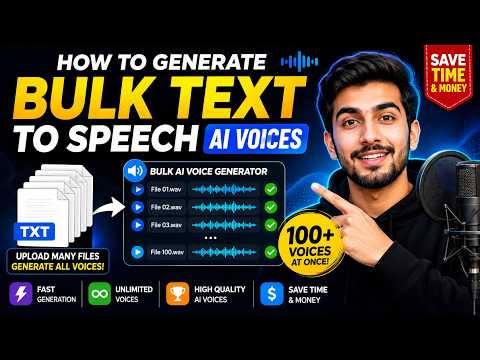

Voice Delta Desktop Windows app
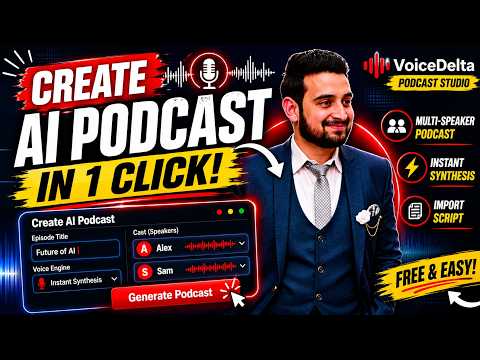
Create realistic AI podcasts with multiple speakers in just one click! In this tutorial, I'll show you how to use VoiceDelta Podcast Studio to generate professional AI podcasts automatically.

Clone Any Voice in 30 Seconds

Generate 1 Hour AI Voiceover FREE in One Click
Create AI voices and clone voices on your own Windows PC or Apple Silicon Mac. The macOS app requires Apple M1 or newer and uses the ARM64 installer.
Local voice generation works offline once the required voice models are installed. No dedicated GPU or server queue is needed. Internet is required for downloads and account services.
From text to studio-quality speech in under a minute.
Paste any amount of text — 100 words or 100,000 characters. Our speech synthesis engine handles it all with no word limit and no character limit. Select from 50+ built-in AI voices, or upload a 5-second clip to clone any voice in 6 languages.
Set speed, pitch, and emotion for your AI narration. Hit generate — our neural TTS engine converts your script to studio audio in real time at 5x speed, with priority processing for Pro users.
Download your 24kHz WAV file instantly. No watermarks, no compression artifacts. Deploy your AI-generated voice audio in videos, podcasts, apps, games, or any professional production workflow.
Create AI voices in the web studio or generate locally with the desktop app for Windows and macOS Apple Silicon (M1 or newer). Choose the workflow that fits your device and project.
Cloud Rendering — Any Device
Windows & macOS Apple Silicon
💡 Every plan works on the desktop app. Web-enabled plans give you both — create in the cloud or on your PC, whichever fits the moment.
Yes. Pro and Lifetime plan users have no word limit, no character limit, and no daily generation limit. Each single run supports up to 100,000 characters of speech synthesis. The free plan includes 1,000 characters per day to get started with no credit card required.
It means you can paste any length of text and produce the complete audio in one run. Most voice generation tools restrict you to 500–5,000 characters per session. Voice Delta Pro removes this ceiling entirely — 100,000 characters per run, unlimited runs per day, no throttling.
Voice Delta's free plan includes 1,000 characters of daily speech synthesis with no per-word restrictions within that quota. For truly unlimited TTS with no daily cap and no word or character limits, upgrade to Pro ($10/month) or the Lifetime plan ($100 one-time payment).
Yes. Voice Delta includes zero-shot voice cloning in 6 languages — upload 5 seconds of any speaker's audio and the AI replicates that voice instantly. No training required, no additional cost. Supported cloning languages are English, French, German, Portuguese, Italian, and Spanish.
Voice cloning supports 6 languages: English, French, German, Portuguese, Italian, and Spanish. Multilingual speech synthesis (TTS generation) is separately available in 50+ languages, so you can generate in far more languages than you can clone in.
Voice Delta's AI narration engine supports 50+ languages including English, Spanish, French, German, Arabic, Hindi, Mandarin, Japanese, Portuguese, Italian, and more — all with native-level pronunciation and natural prosody.
Yes. Voice Delta generates speech and clones voices locally on Windows 10/11 and macOS Apple Silicon (M1 or newer). Local generation works offline once the required voice models are installed, with no dedicated GPU needed.
All voice generation exports as 24kHz WAV files — studio-grade audio suitable for YouTube, podcasts, audiobooks, commercial advertising, and professional productions. No watermarks, no compression.
Yes. The free plan activates with no credit card. You get 1,000 characters of daily speech synthesis, one voice clone in any supported language, and access to all standard AI voices. Upgrade any time to unlock unlimited TTS with no word, character, or generation limits.
Most free voice generation tools cap you at a few hundred words, add watermarks, or charge per-credit for voice cloning. Voice Delta delivers genuinely unlimited speech synthesis (Pro/Lifetime), zero-shot voice cloning in 6 languages, 50+ language support, offline desktop generation on CPU, and a lifetime plan — all starting free.
Thousands of creators already use Voice Delta to produce unlimited studio-quality AI audio. The free plan is available with no credit card. Pro and Lifetime plans deliver truly unlimited speech synthesis — no word limit, no character limit, no generation limit, ever.